Product update4 min read
Introducing Repair Check: a second opinion before you approve a repair.
Scan a repair estimate and EngineEar explains every line, compares it with typical prices for your car, flags what can wait and gives you the questions to ask.
 By SpotaLabs Team
EngineEar started as a way to hear what your engine is telling you. But the moment most drivers feel least sure of themselves isn't when the car makes a noise. It's when a shop hands over the estimate to fix it.
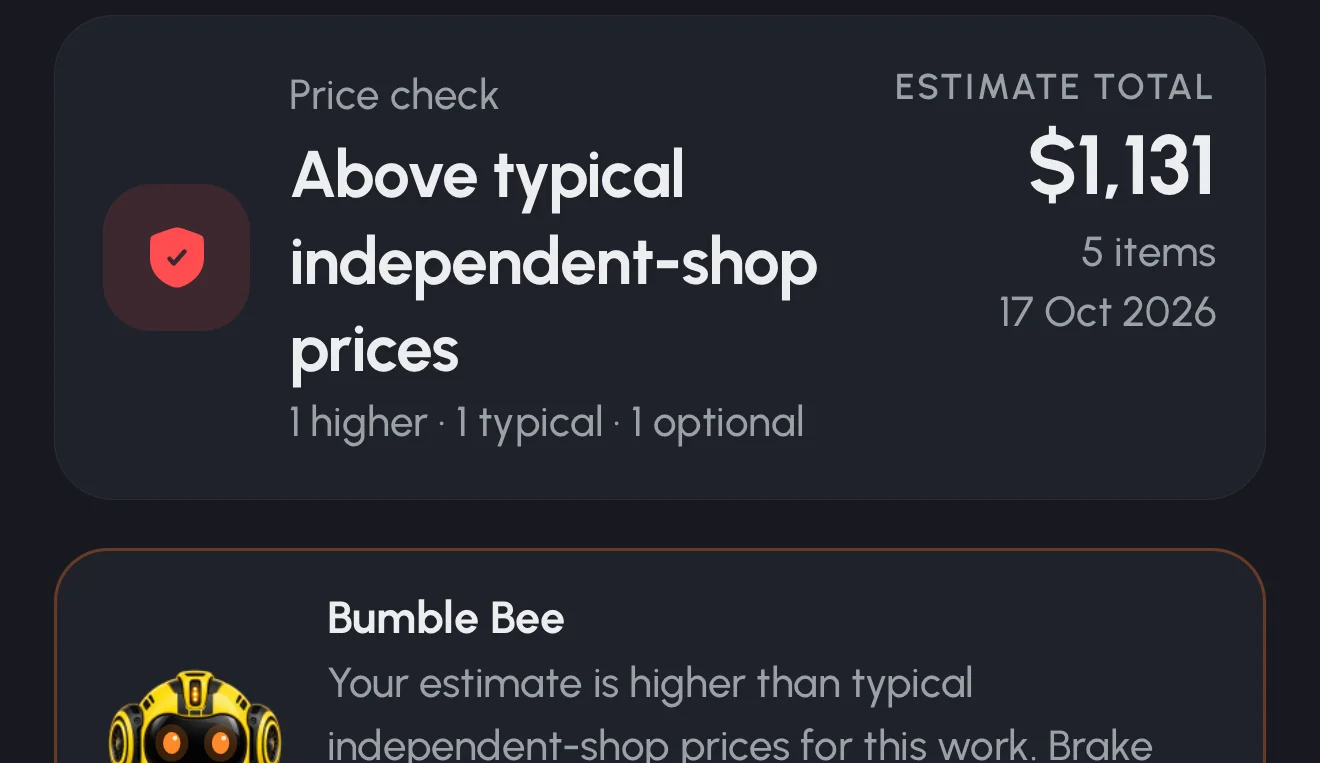
Repair Check is our answer to that moment. Scan the estimate your shop gave you, and in a couple of minutes you'll know what each line is, how the price compares with what's typical for your car, what's marked optional, and what to ask before you say yes.
How it works
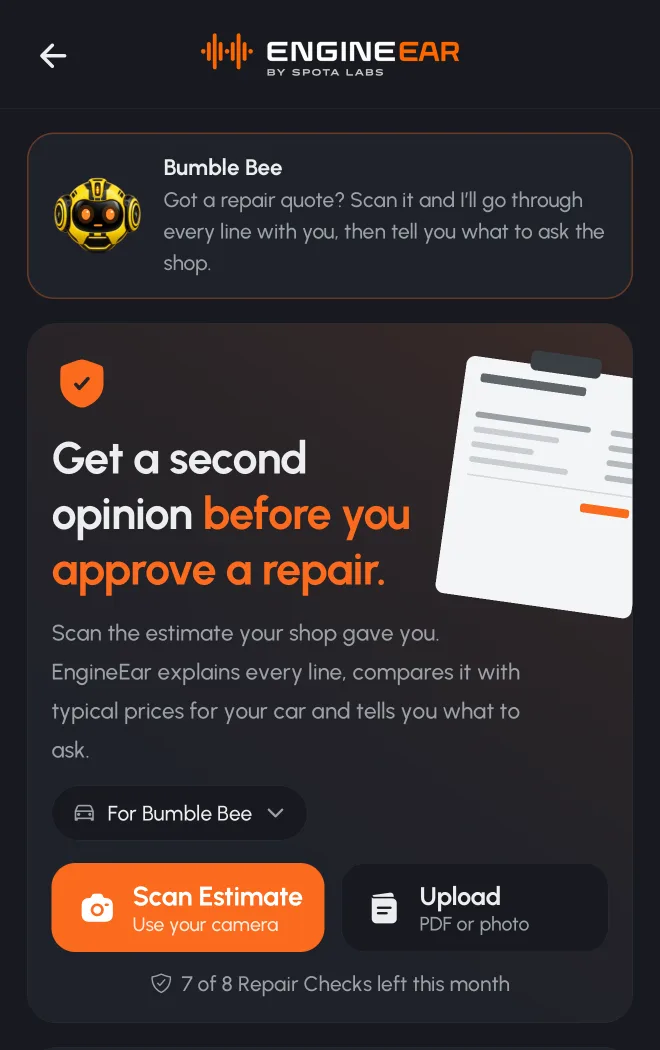
1. Add your estimate. Scan the paper copy (EngineEar finds the page edges and straightens it for you) or upload a photo or PDF. Multi-page estimates work too.
2. We read every line, you check it. EngineEar reads parts, labor hours, fees, tax, the shop's details and the mileage printed on the estimate. You confirm the lines before anything is saved. The reader only records what's printed and explains what each line is. It never adds lines, and never decides whether a repair is needed.
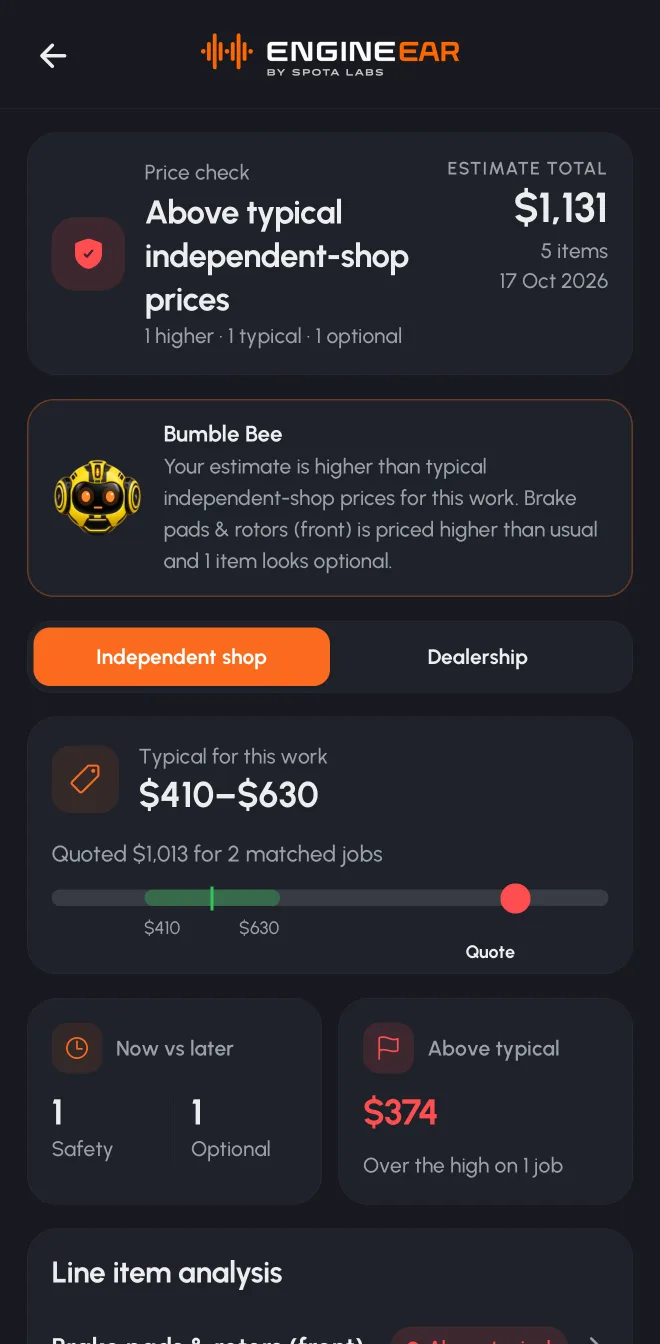
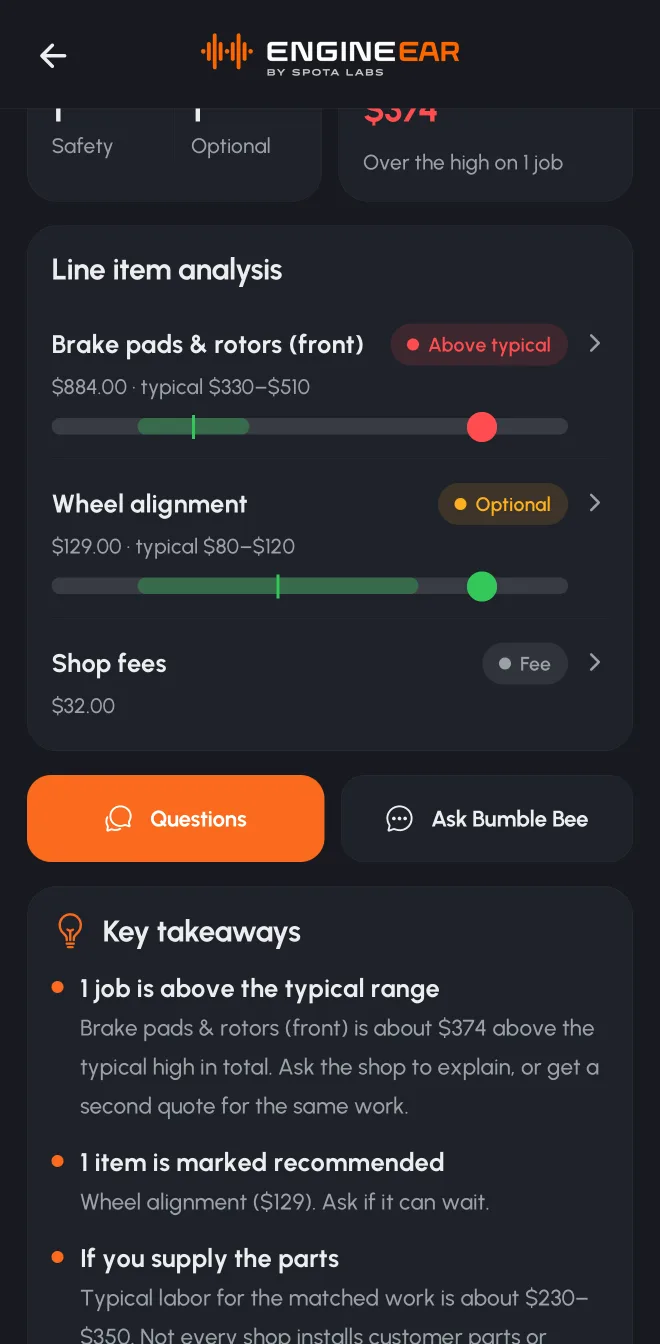
3. Get a second opinion. Each job is matched and compared with typical price ranges for your year, make and model, separately for independent shops and dealerships. Every job gets a simple verdict: within, above or below typical.
What you get
- Plain-language lines. What a "caliper service" or "shop supplies" actually is, without jargon.
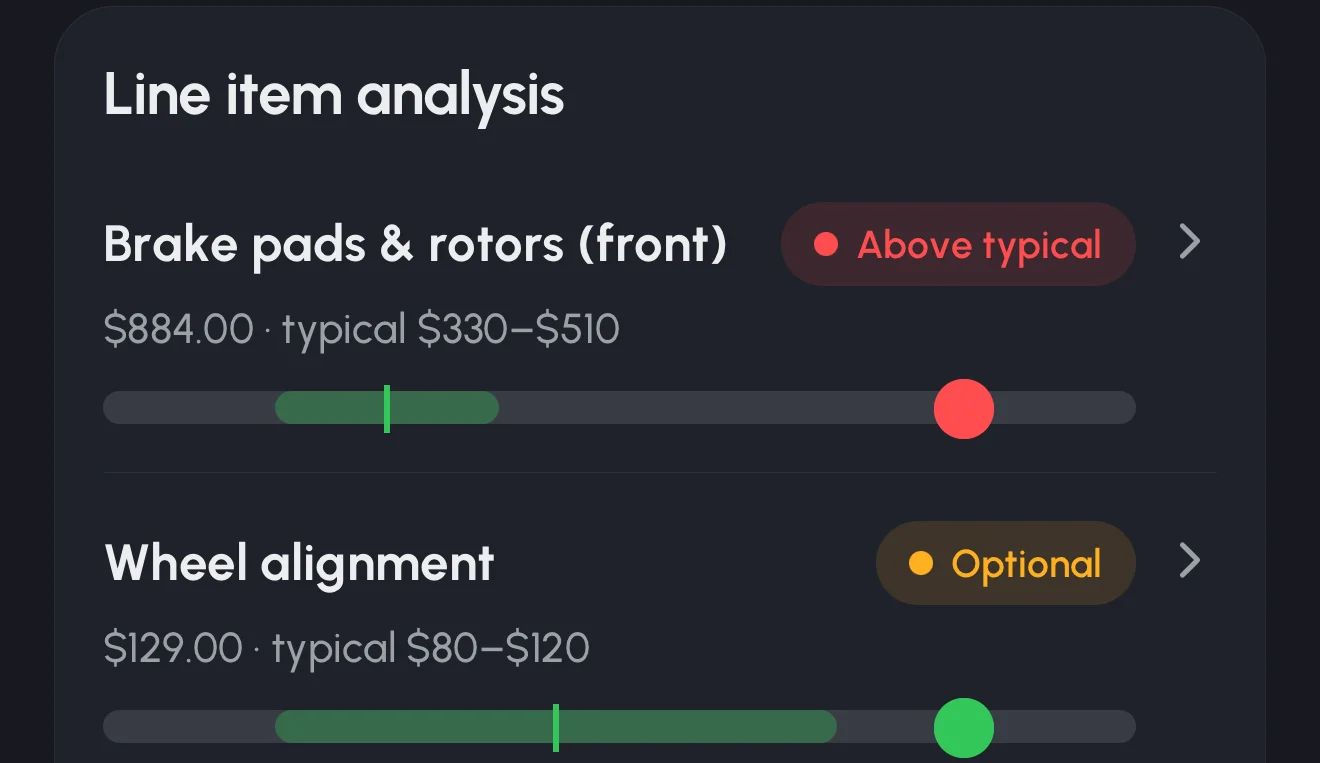
- Price ranges for your car. Typical independent and dealership prices, with where your quote sits. Jobs done together (like front pads and rotors) are priced together, the way shops do them.
- Labor-hours check. For common maintenance jobs, EngineEar compares the hours on the estimate with the standard time for that job.
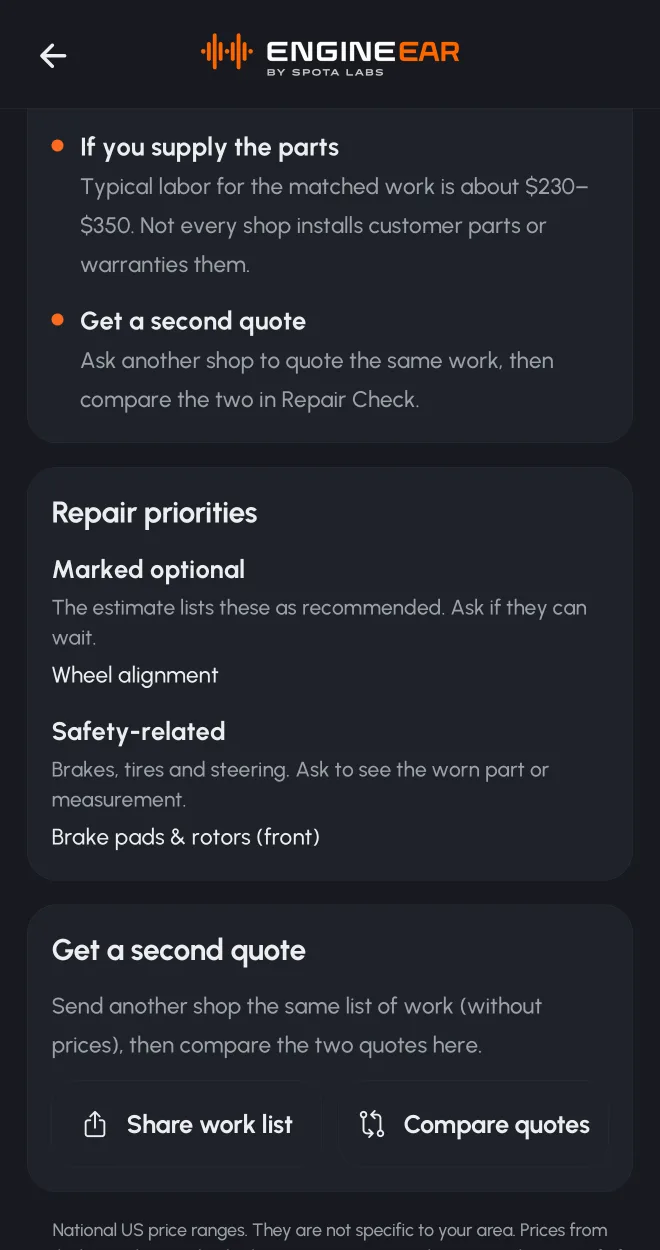
- What can wait. Items the estimate itself marks as recommended or optional are called out, and checked against your own service records. That way you know if, say, the fluid it suggests was changed last year.
- Safety first. Brakes, tires and steering are grouped as safety-related, with a nudge to ask for the measurement or the worn part.
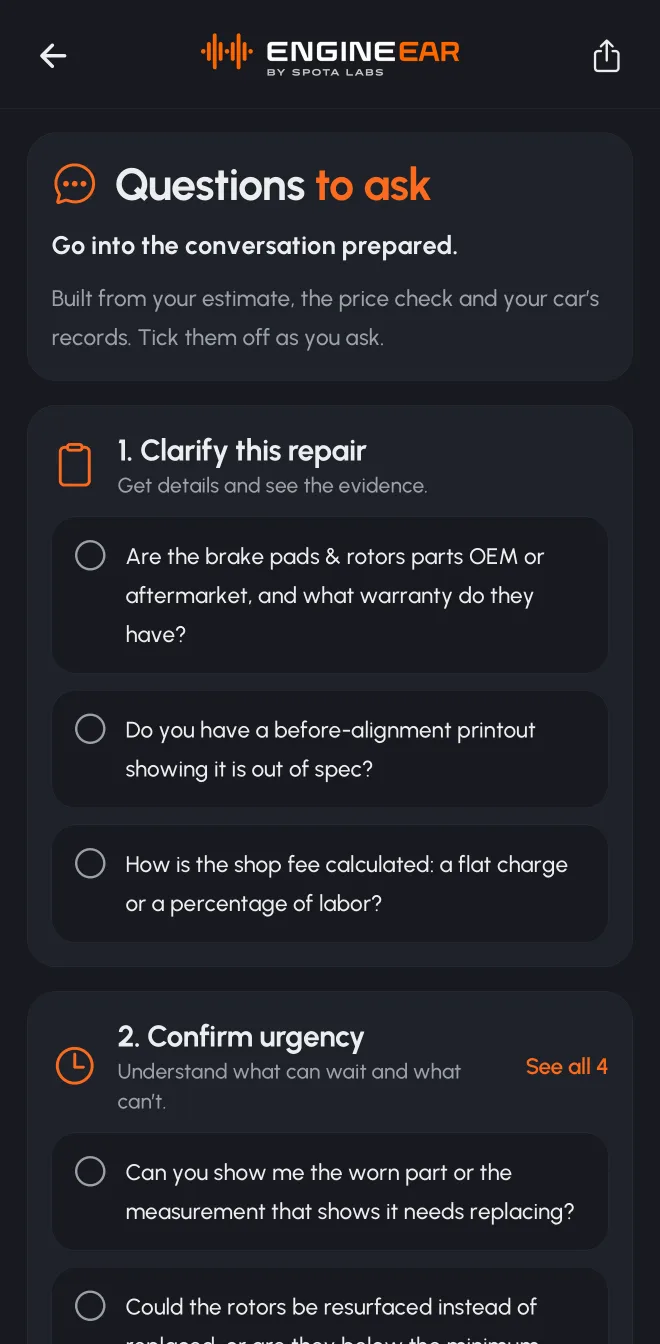
- Questions to ask. A checklist built from your estimate, the price check and your car's history, with a polite script for the conversation.
- A fair second quote. Share the work list without prices with another shop, then compare the two quotes side by side.
- Ask about it. Ask your car's companion anything about the estimate ("What's this line?", "Can the alignment wait?") and it answers from the estimate itself.
What Repair Check won't do
We were careful about this. Repair Check never says a shop is "ripping you off" or "overcharging". A quote above the typical range is a reason to ask a question, not proof of anything: better parts, your area, rust or a longer warranty can all justify a higher price. Ranges are national, not specific to your ZIP code, and EngineEar can't see your car, so it never judges whether a repair is needed or how urgent it is. Always confirm repairs with a qualified mechanic.
After the repair
When the work is done, mark the estimate as completed (EngineEar logs it from the estimate lines) or scan the final invoice into the Vault. Either way, it becomes a normal entry in your car's service history, so your maintenance plan, reminders and future Repair Checks know about it. Declined the work or went elsewhere? You can record that too.
Availability
Repair Check is rolling out in the latest version of EngineEar. Free accounts include one Repair Check to try it, and Turbo includes eight Repair Checks every month, plus up to three price checks per estimate.
Want the long version of how to read a quote yourself? We wrote a full guide: Is my mechanic overcharging me? How to check a car repair estimate.
- engineear
- repair check
- estimates
- product update
EngineEarListen to your engine. Look after your car.