Product update5 min read
Inside the Shift Room: chat, compare, offer and complete your shift.
Every mutual match on Shifta opens a Shift Room: one place to talk, compare both cars against a dealership deal, negotiate the cash difference, and then track inspection, checkout and the handoff.
 By SpotaLabs Team
Two owners who want each other's cars still have a lot to work out: whether the cars are what they seem, what the difference should be, who inspects what, how the money moves and where to meet. Usually that happens across text messages, emails, a notes app and a lot of trust.
On Shifta, all of it happens in one place: the Shift Room. It opens the moment you and another owner match, and it stays with you until both cars have changed hands.
Before an offer: Chat, Compare, Offer, History
When two owners both tap Interested, the Shift Room opens with four layers.
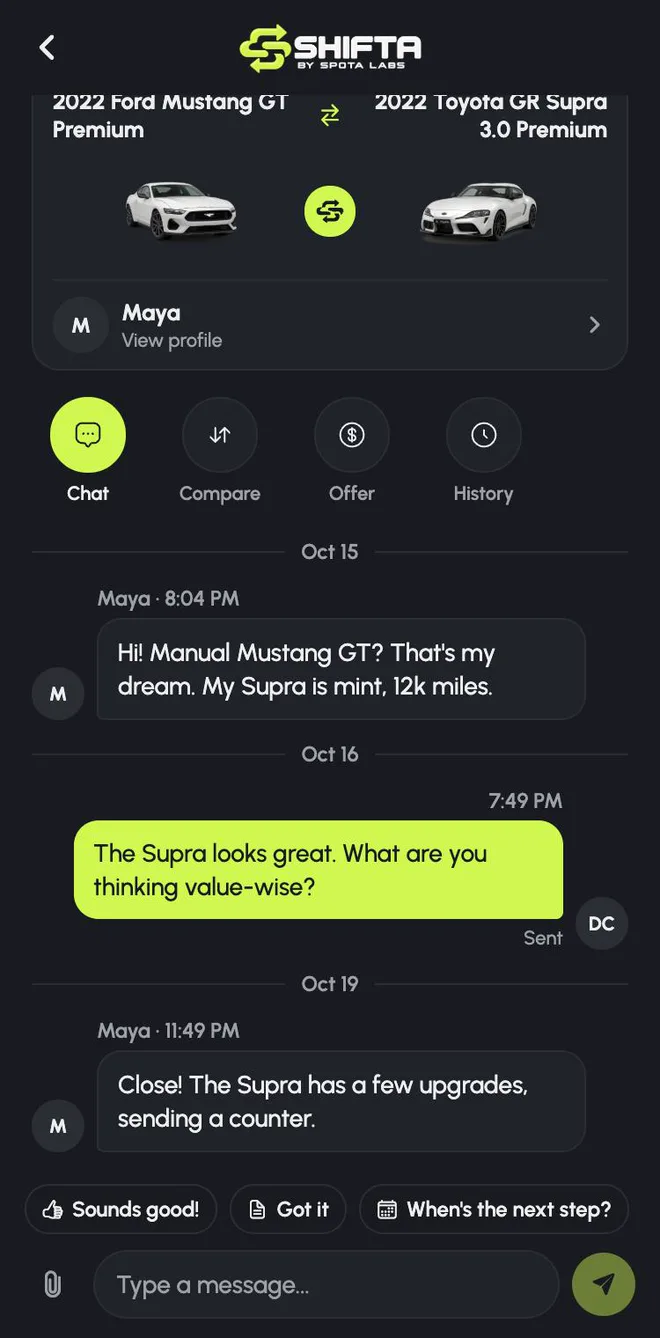
Chat
A private conversation with the other owner, with quick replies like Sounds good! and When's the next step? for the moments you're on the move. Ask about service history, modifications, paintwork, or why they're trading. Chat is for talking. The terms of a deal always live in the Offer, so nothing important gets buried in a thread.
Compare
Three views of the deal:
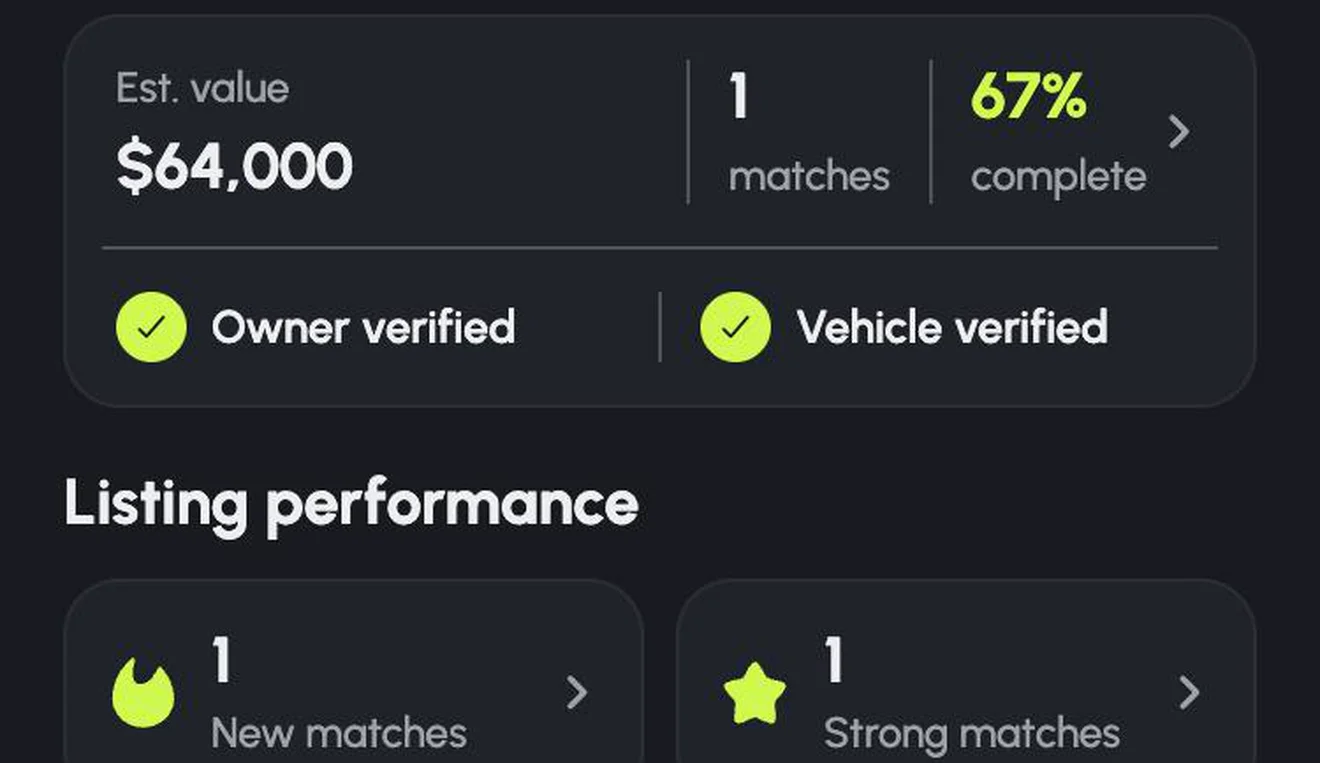
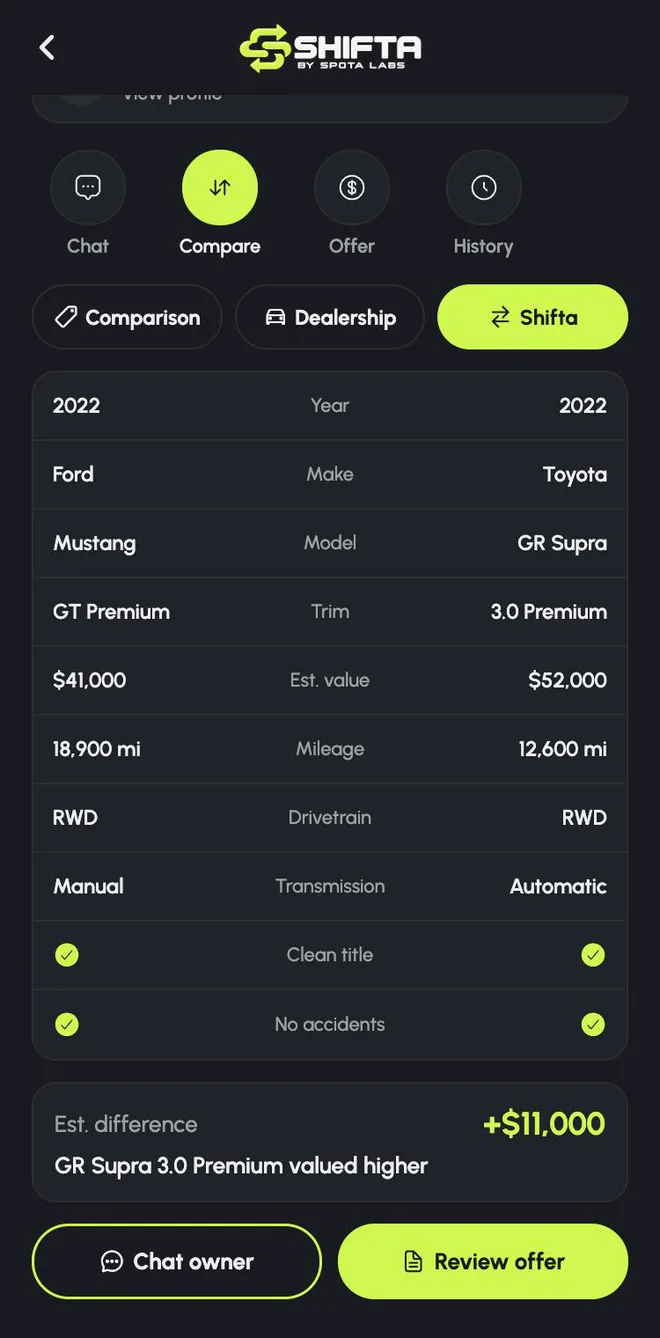
- Shifta: both cars side by side, with year, trim, estimated value, mileage, drivetrain, transmission, clean title and accident history, plus the estimated difference.
- Dealership: what trading your car in and buying theirs from a dealer would roughly look like, with the trade-in discount and the dealer markup broken out.
- Comparison: the dealership deal and the direct shift next to each other, and the potential value kept by skipping the dealer.
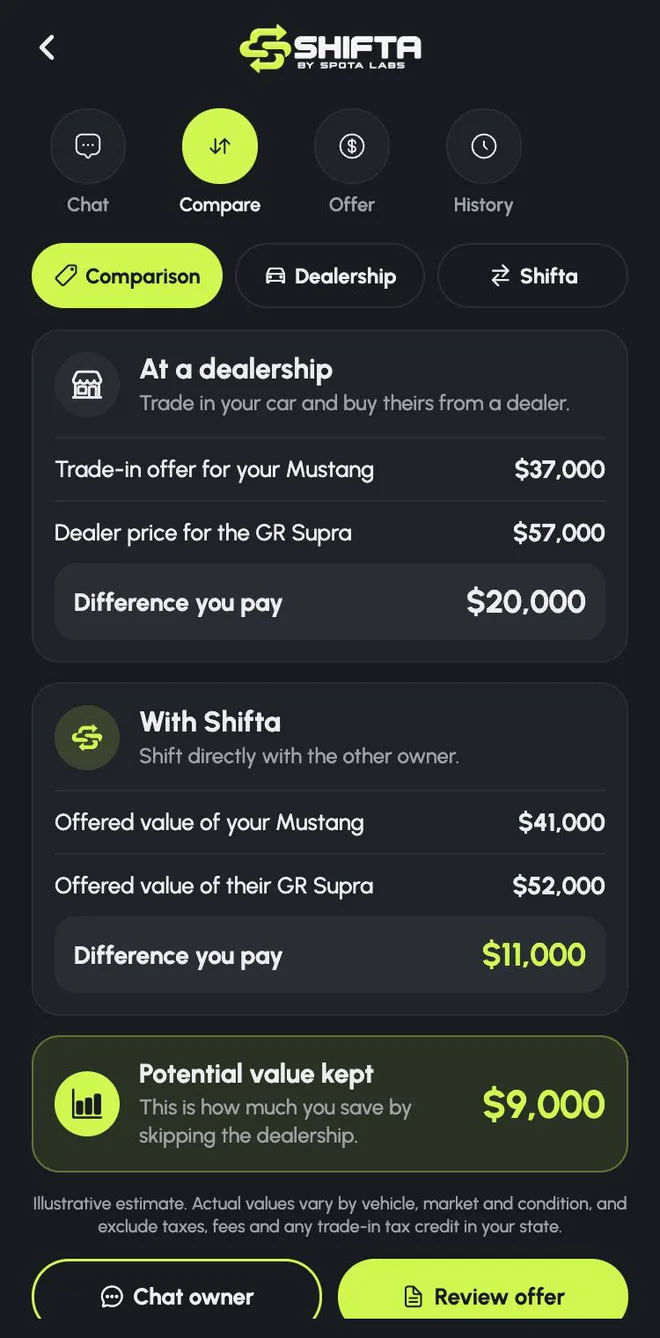
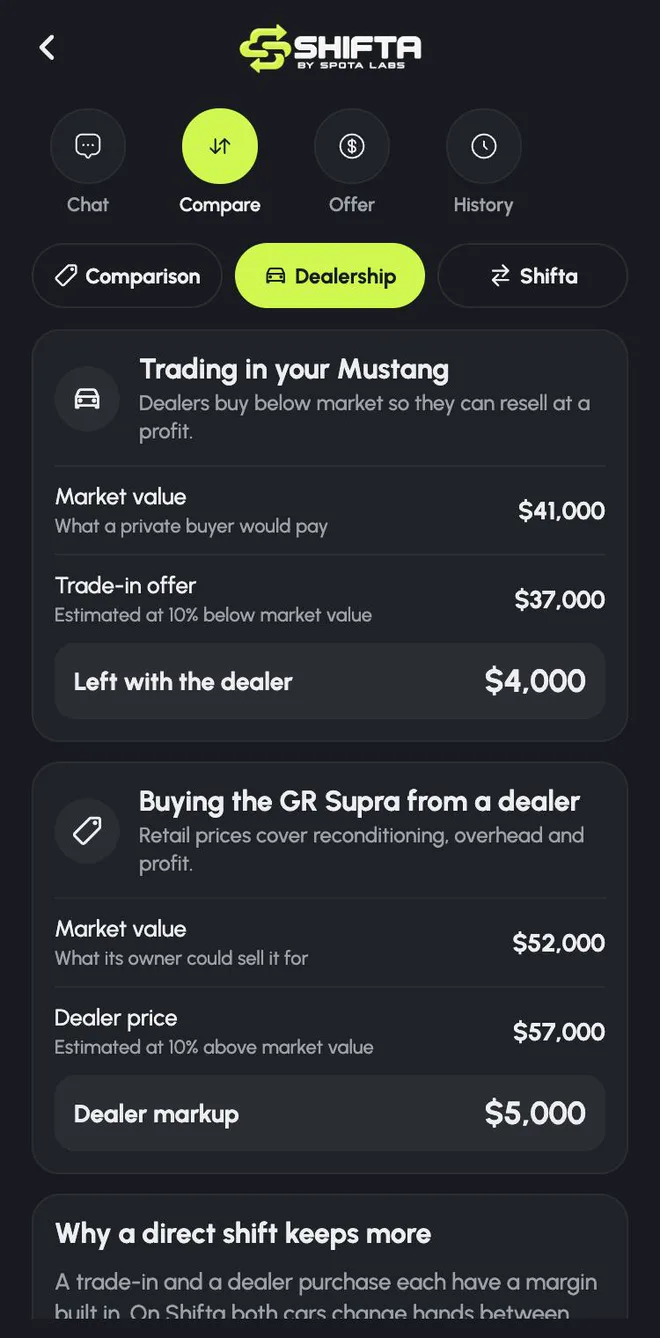
The dealership figures are an illustrative estimate, roughly 10% below market for a trade-in and 10% above for a dealer price, and they exclude taxes, fees and any trade-in tax credit. They're there to show the shape of the deal, not to price a specific dealer. We go deeper in Dealership trade-in vs trading privately.
Offer
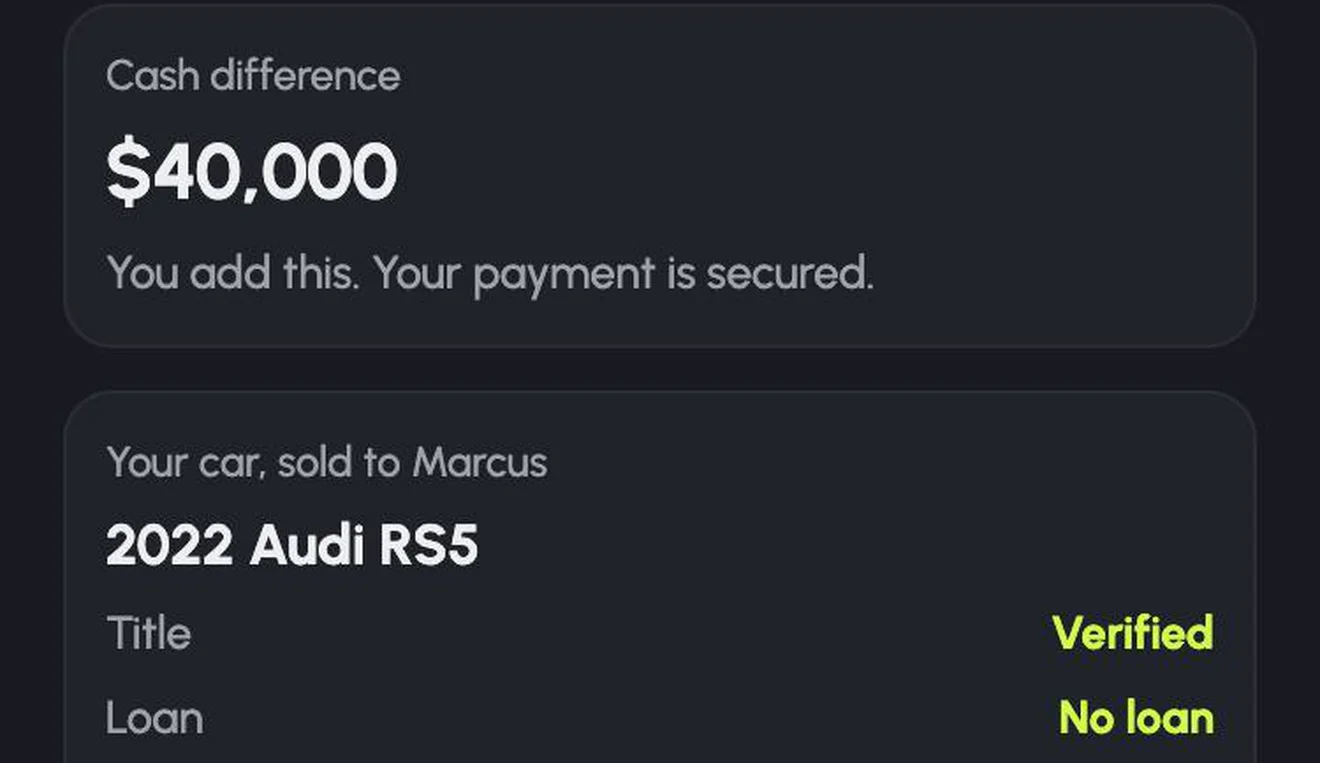
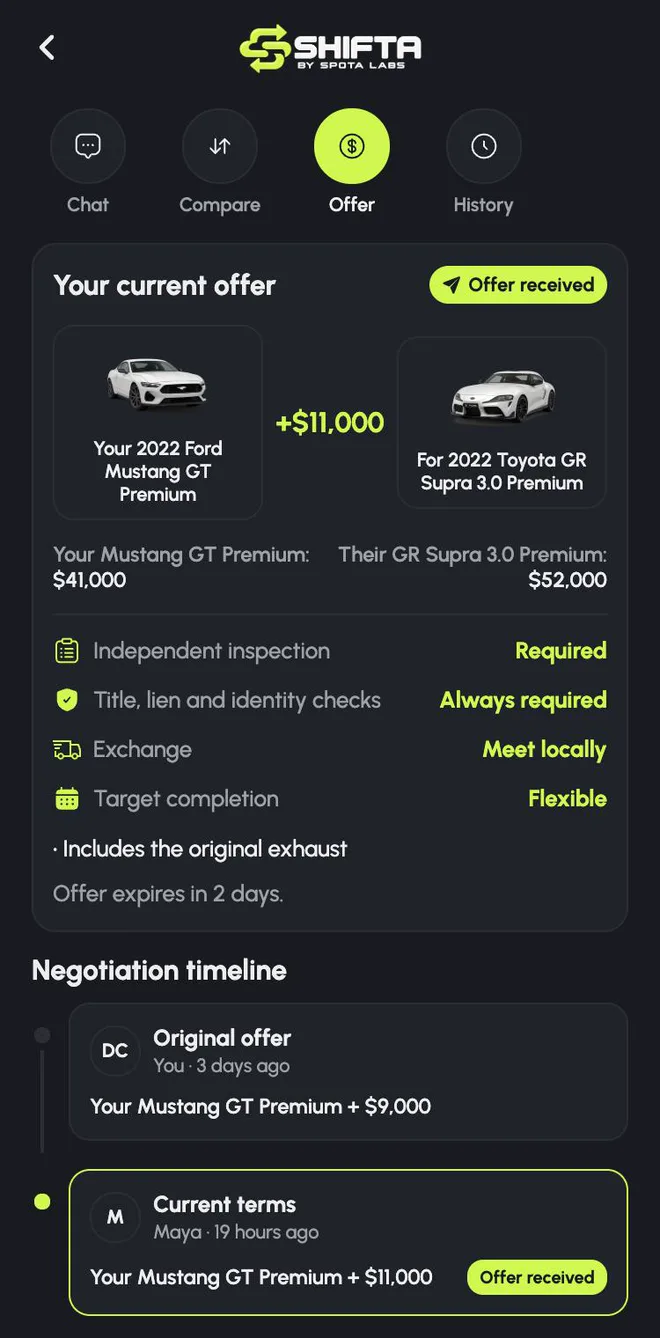
An offer sets a value for each car. The cash difference follows from those values, so it's never a number pulled from thin air. An offer also covers the terms:
- whether an independent inspection is required,
- title, lien and identity checks, which are always required,
- how the exchange will happen (meet locally, for example),
- a target completion date, and notes like Includes the original exhaust.
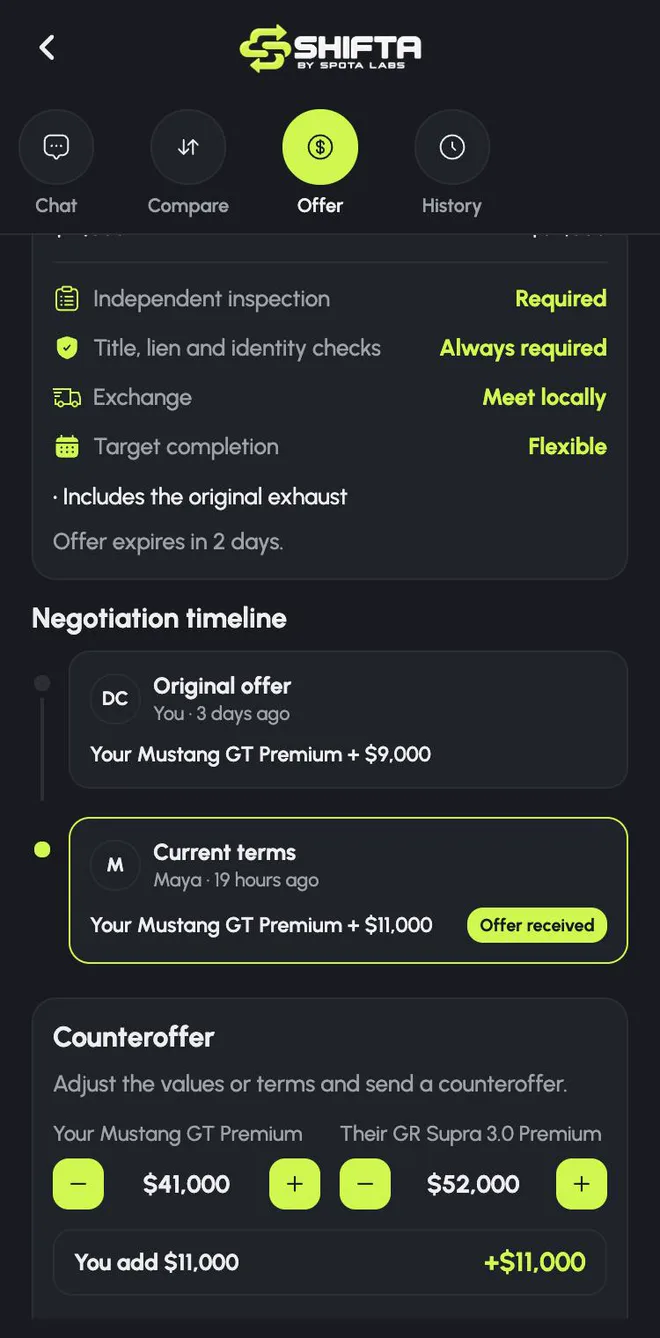
The other owner can accept, decline or counter, adjusting either car's value line by line. Every version is kept in the negotiation timeline, and offers expire, so nobody's left waiting forever.
History
A log of everything on the shift: messages, offers and milestones, with the last action and the next step at the top, and filters to find what you need.
After acceptance: the Secure Shift
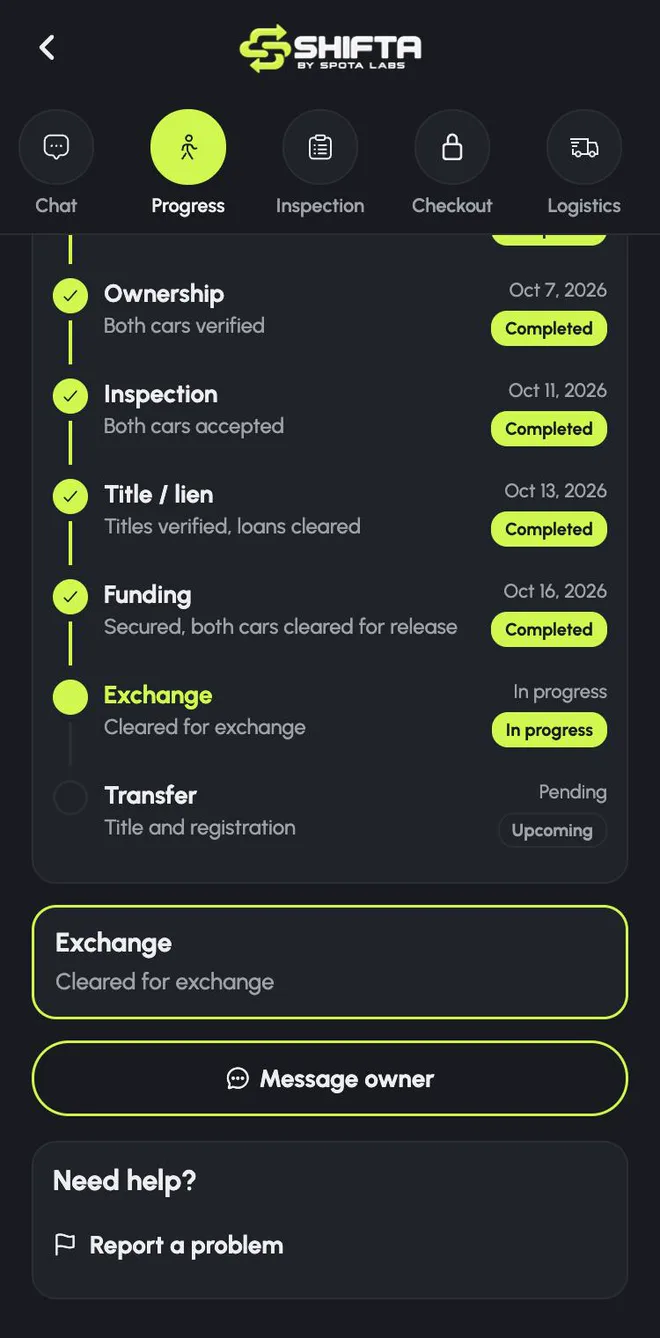
When an offer is accepted, the shift becomes a Secure Shift. Both cars are reserved, the agreed terms are frozen, and the Shift Room adds the layers you need to complete the exchange. It now opens on Progress.
- Progress: every step with its status and date: identity, ownership, inspection, title and lien, funding, exchange and transfer.
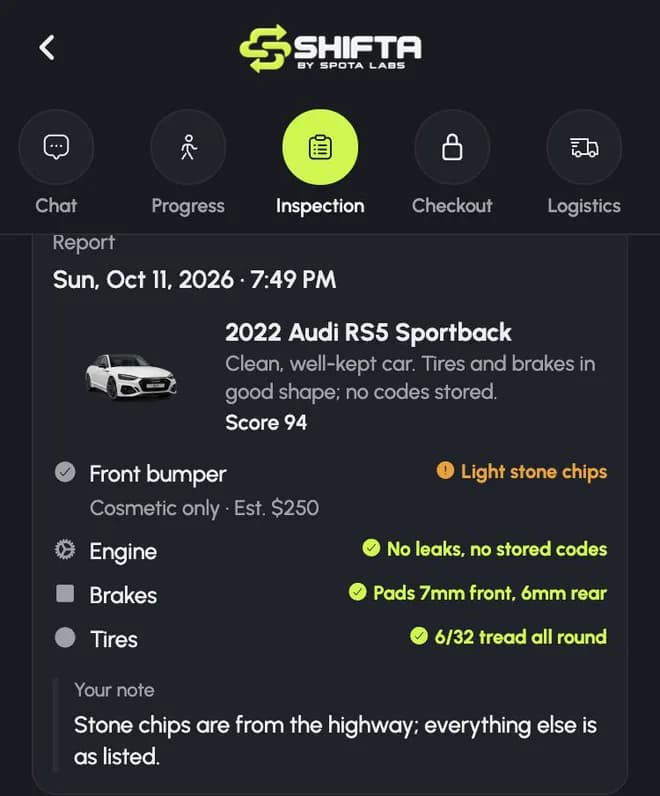
- Inspection: each car is inspected independently. Its owner reviews the report, and the owner receiving the car decides whether to accept it.
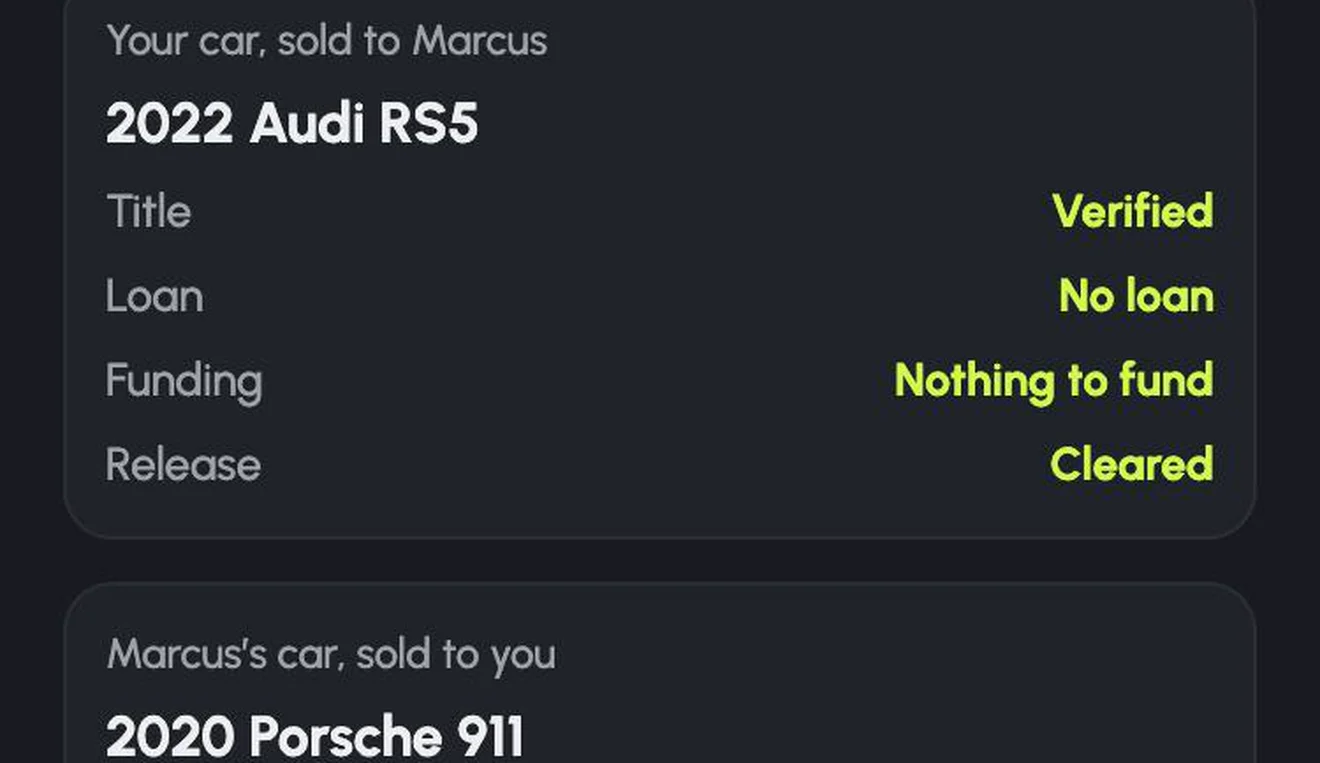
- Checkout: title, loan, funding and release status for each car, and the cash difference, secured before either car is released.
- Logistics: where and when the exchange happens, and the handoff itself. Both owners confirm each car was handed over and received, with its odometer reading.
- Documents: the paperwork for the shift in one place.
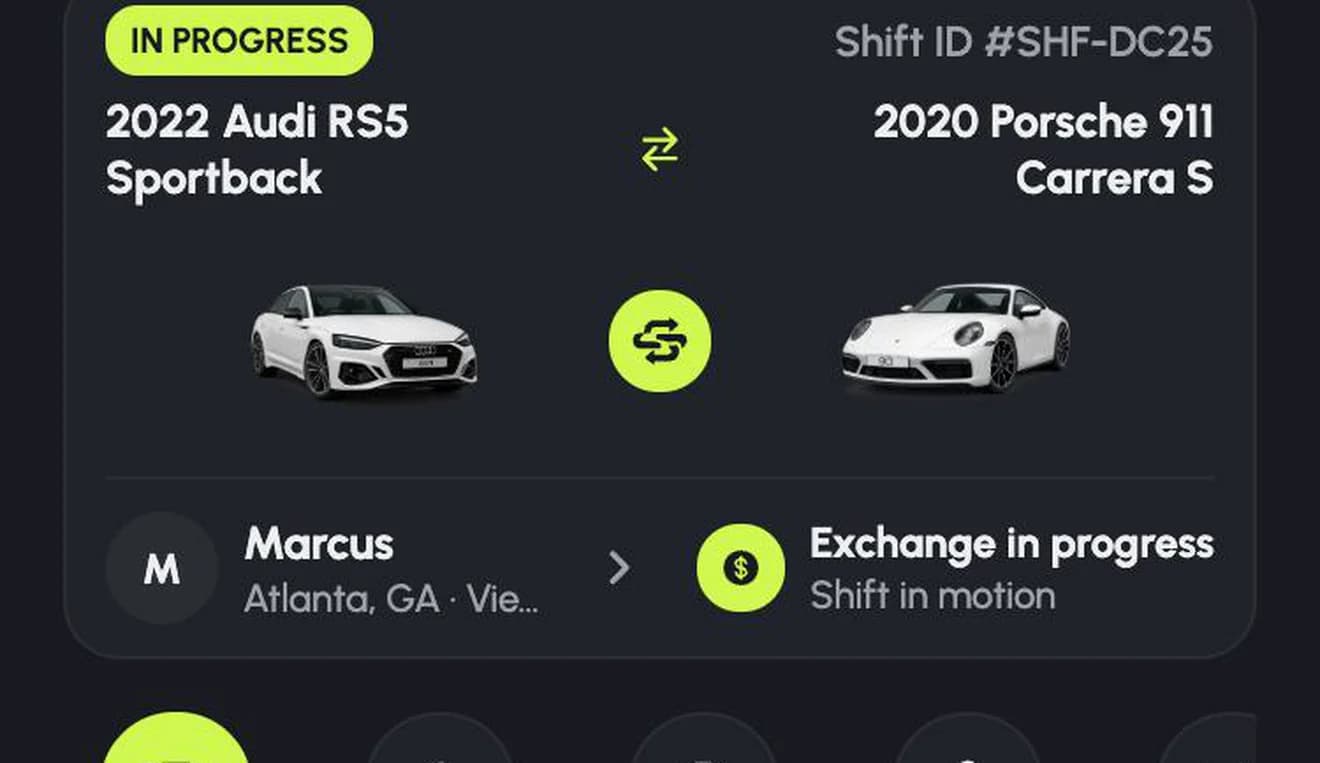
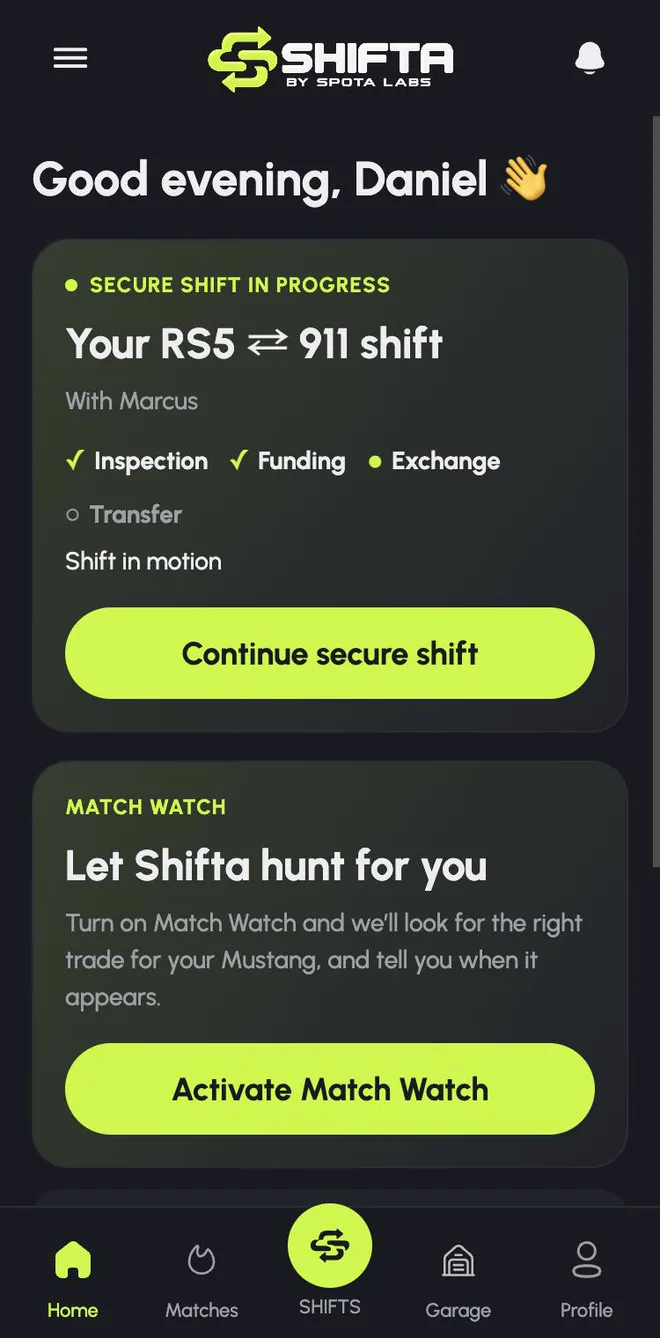
Your Home screen follows along too. While a Secure Shift is in progress, it shows the shift front and center: which steps are done and a button to continue.
All your shifts in one tab
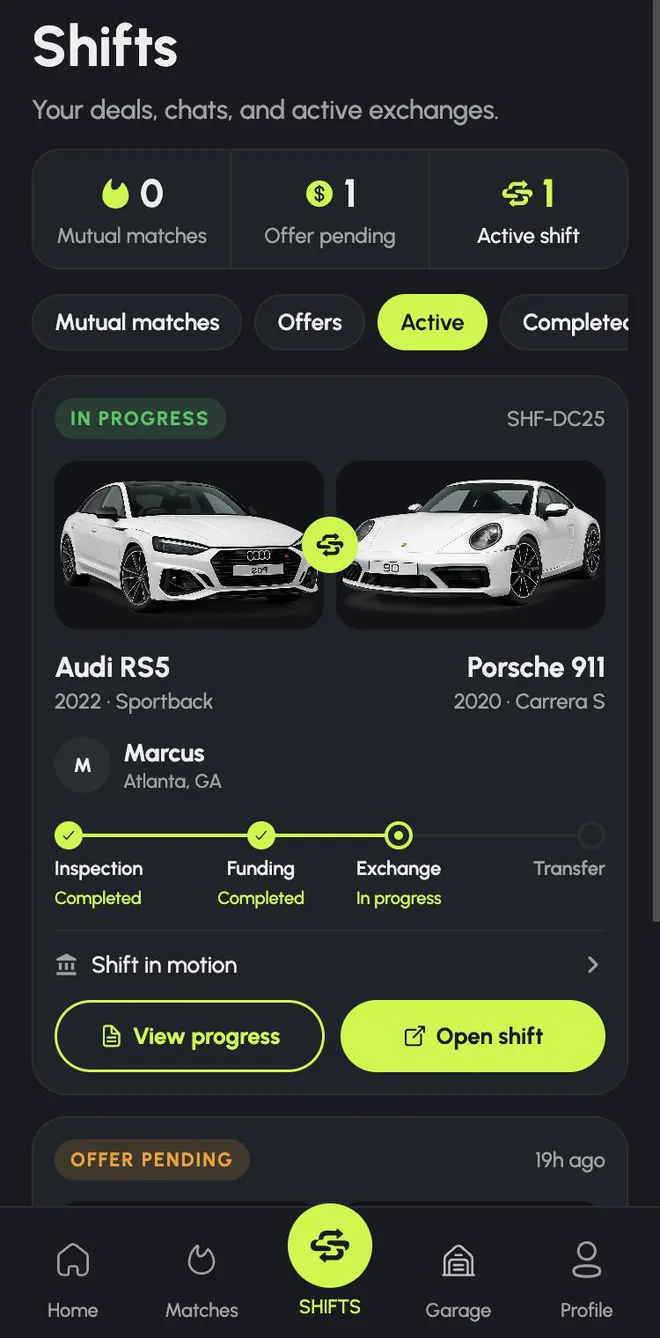
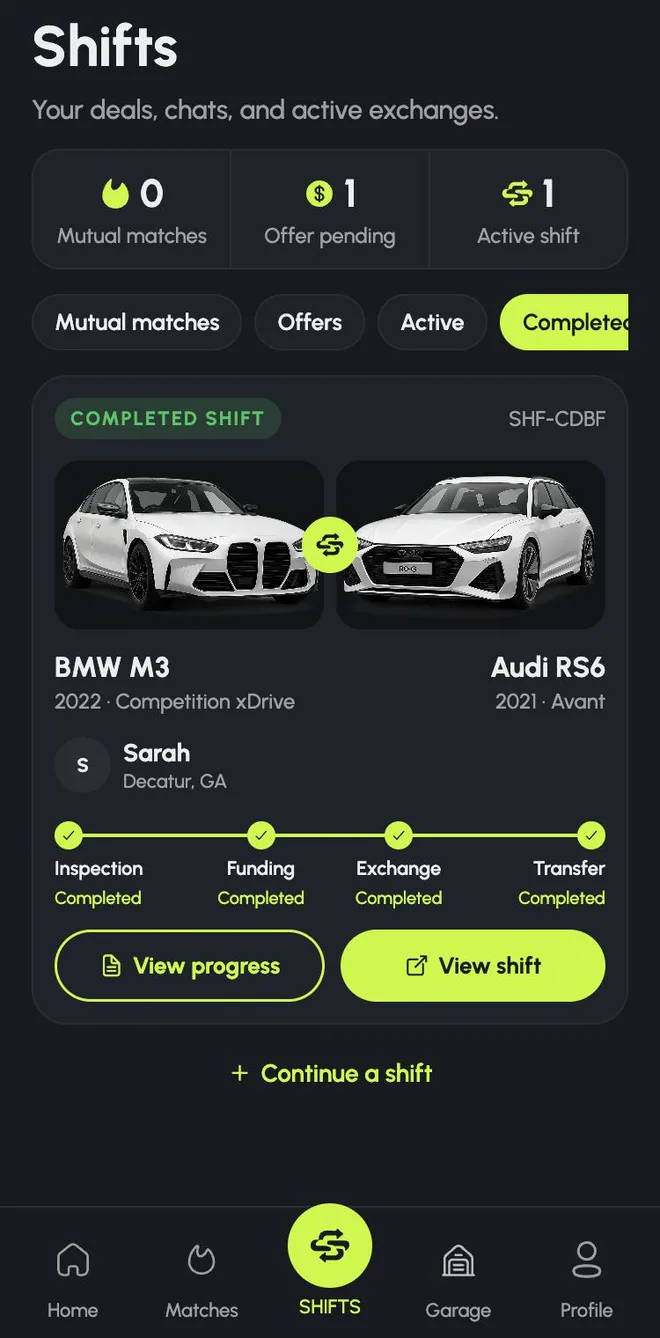
The Shifts tab lists every Shift Room across all your cars: mutual matches still talking, offers waiting on a reply, active Secure Shifts and completed ones. Each card shows both cars, the other owner and exactly where the shift stands.
Help when you need it
Every Shift Room has a way to message the other owner and to report a problem. Before the handoff, a shift can be cancelled. After it, any issue goes through a dispute process with the evidence from the shift.
Try it
Match with an owner and the Shift Room opens automatically. If you're just getting started, read Why a Shifta match has to work both ways.
- shifta
- shift room
- offers
- secure shift
- product update
ShiftaSkip the sale. Trade into your next car.